
access control

What is access control?
Access control is a security technique that regulates who or what can view or use resources in a computing environment. It is a fundamental concept in security that minimizes risk to the business or organization.
There are two types of access control: physical and logical. Physical access control limits access to campuses, buildings, rooms and physical IT assets. Logical access control limits connections to computer networks, system files and data.
To secure a facility, organizations use electronic access control systems that rely on user credentials, access card readers, auditing and reports to track employee access to restricted business locations and proprietary areas, such as data centers. Some of these systems incorporate access control panels to restrict entry to rooms and buildings, as well as alarms and lockdown capabilities, to prevent unauthorized access or operations.
Logical access control systems perform identification authentication and Authorization of users and entities by evaluating required login credentials that can include passwords, personal identification numbers, biometric scans, security tokens or other authentication factors. Multifactor authentication (MFA), which requires two or more authentication factors, is often an important part of a layered defense to protect access control systems.
This article is part of
What is data security? The ultimate guide
Why is access control important?
The goal of access control is to minimize the security risk of unauthorized access to physical and logical systems. Access control is a fundamental component of security compliance programs that ensures security technology and access control policies are in place to protect confidential information, such as customer data. Most organizations have infrastructure and procedures that limit access to networks, computer systems, applications, files and sensitive data, such as personally identifiable information and intellectual property.
Access control systems are complex and can be challenging to manage in dynamic IT environments that involve on-premises systems and cloud services. After high-profile breaches, technology vendors have shifted away from single sign-on systems to unified access management, which offers access controls for on-premises and cloud environments.
How access control works
Access controls identify an individual or entity, verify the person or application is who or what it claims to be, and authorizes the access level and set of actions associated with the username or IP address. Directory services and protocols, including Lightweight Directory Access Protocol and Security Assertion Markup Language, provide access controls for authenticating and authorizing users and entities and enabling them to connect to computer resources, such as distributed applications and web servers.
Organizations use different access control models depending on their compliance requirements and the security levels of IT they are trying to protect.
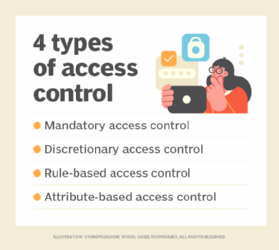
Types of access control
The main models of access control are the following:
- Mandatory access control (MAC). This is a security model in which access rights are regulated by a central authority based on multiple levels of security. Often used in government and military environments, classifications are assigned to system resources and the operating system or security kernel. MAC grants or denies access to resource objects based on the information security clearance of the user or device. For example, Security-Enhanced Linux is an implementation of MAC on Linux.
- Discretionary access control (DAC). This is an access control method in which owners or administrators of the protected system, data or resource set the policies defining who or what is authorized to access the resource. Many of these systems enable administrators to limit the propagation of access rights. A common criticism of DAC systems is a lack of centralized control.
- Role-based access control (RBAC). This is a widely used access control mechanism that restricts access to computer resources based on individuals or groups with defined business functions -- e.g., executive level, engineer level 1, etc. -- rather than the identities of individual users. The role-based security model relies on a complex structure of role assignments, role authorizations and role permissions developed using role engineering to regulate employee access to systems. RBAC systems can be used to enforce MAC and DAC frameworks.
- Rule-based access control. This is a security model in which the system administrator defines the rules that govern access to resource objects. These rules are often based on conditions, such as time of day or location. It is not uncommon to use some form of both rule-based access control and RBAC to enforce access policies and procedures.
- Attribute-based access control. This is a methodology that manages access rights by evaluating a set of rules, policies and relationships using the attributes of users, systems and environmental conditions.
Implementing access control
Access control is integrated into an organization's IT environment. It can involve identity management and access management systems. These systems provide access control software, a user database and management tools for access control policies, auditing and enforcement.
When a user is added to an access management system, system administrators use an automated provisioning system to set up permissions based on access control frameworks, job responsibilities and workflows.
The best practice of least privilege restricts access to only resources that employees require to perform their immediate job functions.
Challenges of access control
Many of the challenges of access control stem from the highly distributed nature of modern IT. It is difficult to keep track of constantly evolving assets because they are spread out both physically and logically. Specific examples of challenges include the following:
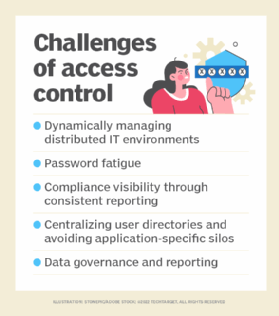
- dynamically managing distributed IT environments;
- password fatigue;
- compliance visibility through consistent reporting;
- centralizing user directories and avoiding application-specific silos; and
- data governance and visibility through consistent reporting.
Many traditional access control strategies -- which worked well in static environments where a company's computing assets were help on premises -- are ineffective in today's dispersed IT environments. Modern IT environments consist of multiple cloud-based and hybrid implementations, which spreads assets out over physical locations and over a variety of unique devices, and require dynamic access control strategies.
Organizations often struggle to understand the difference between authentication and authorization. Authentication is the process of verifying individuals are who they say they are using biometric identification and MFA. The distributed nature of assets gives organizations many avenues for authenticating an individual.
Authorization is the act of giving individuals the correct data access based on their authenticated identity. One example of where authorization often falls short is if an individual leaves a job but still has access to that company's assets. This creates security holes because the asset the individual used for work -- a smartphone with company software on it, for example -- is still connected to the company's internal infrastructure but is no longer monitored because the individual is no longer with the company. Left unchecked, this can cause major security problems for an organization. If the ex-employee's device were to be hacked, for example, the attacker could gain access to sensitive company data, change passwords or sell the employee's credentials or the company's data.
One solution to this problem is strict monitoring and reporting on who has access to protected resources so, when a change occurs, it can be immediately identified and access control lists and permissions can be updated to reflect the change.
Another often overlooked challenge of access control is user experience. If an access management technology is difficult to use, employees may use it incorrectly or circumvent it entirely, creating security holes and compliance gaps. If a reporting or monitoring application is difficult to use, the reporting may be compromised due to an employee mistake, which would result in a security gap because an important permissions change or security vulnerability went unreported.
Access control software
Many types of access control software and technology exist, and multiple components are often used together as part of a larger identity and access management (IAM) strategy. Software tools may be deployed on premises, in the cloud or both. They may focus primarily on a company's internal access management or outwardly on access management for customers. Types of access management software tools include the following:
- reporting and monitoring applications
- password management tools
- provisioning tools
- identity repositories
- security policy enforcement tools
Microsoft Active Directory is one example of software that includes most of the tools listed above in a single offering. Other IAM vendors with popular products include IBM, Idaptive and Okta.